

Getting started with AI-assisted coding
In February 2026, Anthropic's Claude Code and OpenAI's Codex started competing hard on agentic coding. As a digital product designer, I found them valuable because they let me build things I couldn't build before.
That's when I started playing around with them to see what they were capable of.
Around the same time, some chats with friends inspired me to build a trivia game web app, so my friends, their kids and I could learn fun facts in an interesting way. That's how my side project Trivia Game started.
Challenge: managing context and documentation
The design part was simple. After designing in Figma, I used the Figma MCP server to let Claude Code implement the design in Next.js, and the result was almost pixel-perfect.
For the development part, I had to learn more about how Next.js works, how the technical system is designed and, most importantly, how Claude Code works.
In the end, Trivia Game was built and launched successfully. Yet the biggest challenge, managing the workflow, hadn't been solved.
Claude Code performed badly once a chat's context was more than half full, so I had to find ways to manage context while keeping the output quality up (fewer errors and failed tests). I tried:
- Project memory to keep a record of each chat session, which made the project's context file long and hard to read.
- A dedicated Markdown file as a development diary and handoff doc, which ran into the same problem.
- A living to-do list to track every to-do, its progress and the decisions made. It worked fine for Claude Code, but it was hard for me to browse or get an overview, because a Markdown file is limited in format.
So I started looking for a better Claude Code workflow.
Solution: a workflow layer with a kanban board
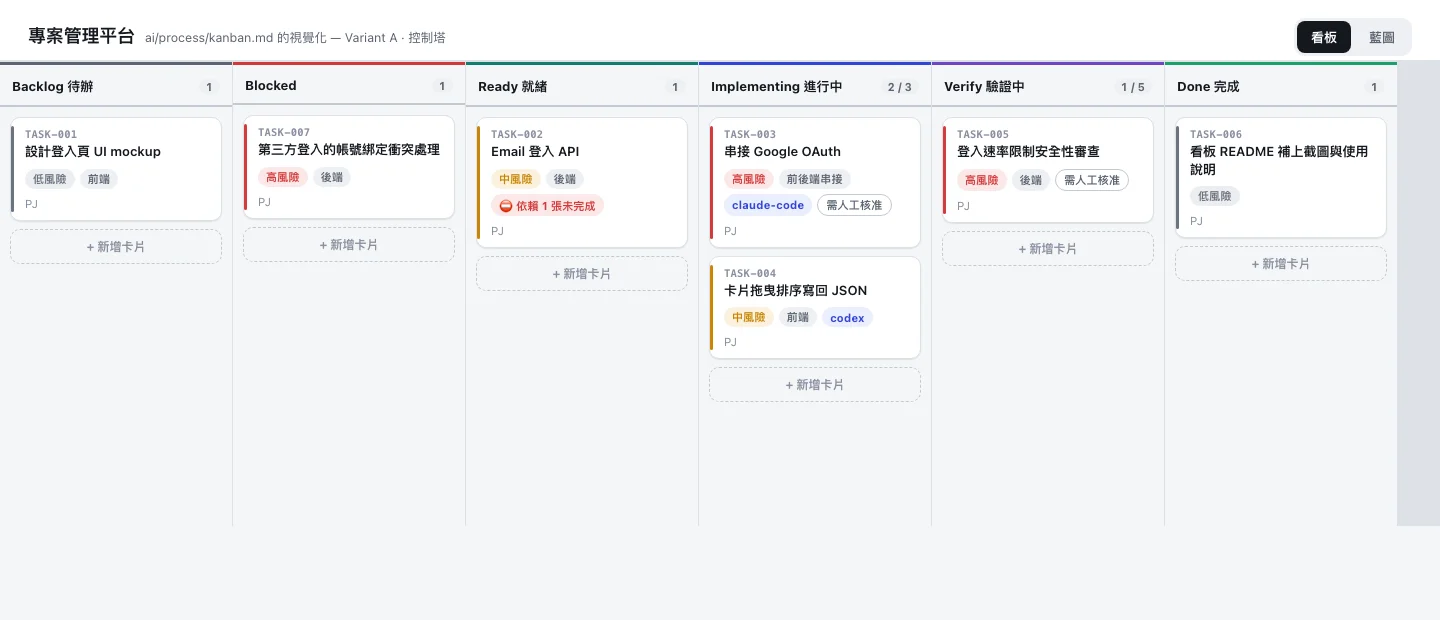 Monstrare's kanban board: each task moves from Backlog through Ready, Implementing and Verify to Done (image: Monstrare on GitHub).
After researching YouTube videos and online articles, I found Monstrare (opens in a new tab), a GitHub repository by a Taiwanese developer, especially useful.
It sets up a workflow layer for AI coding agents (Claude Code, Codex and others) with gates at every phase of the software development lifecycle. It also comes with a kanban board to follow development progress task by task.
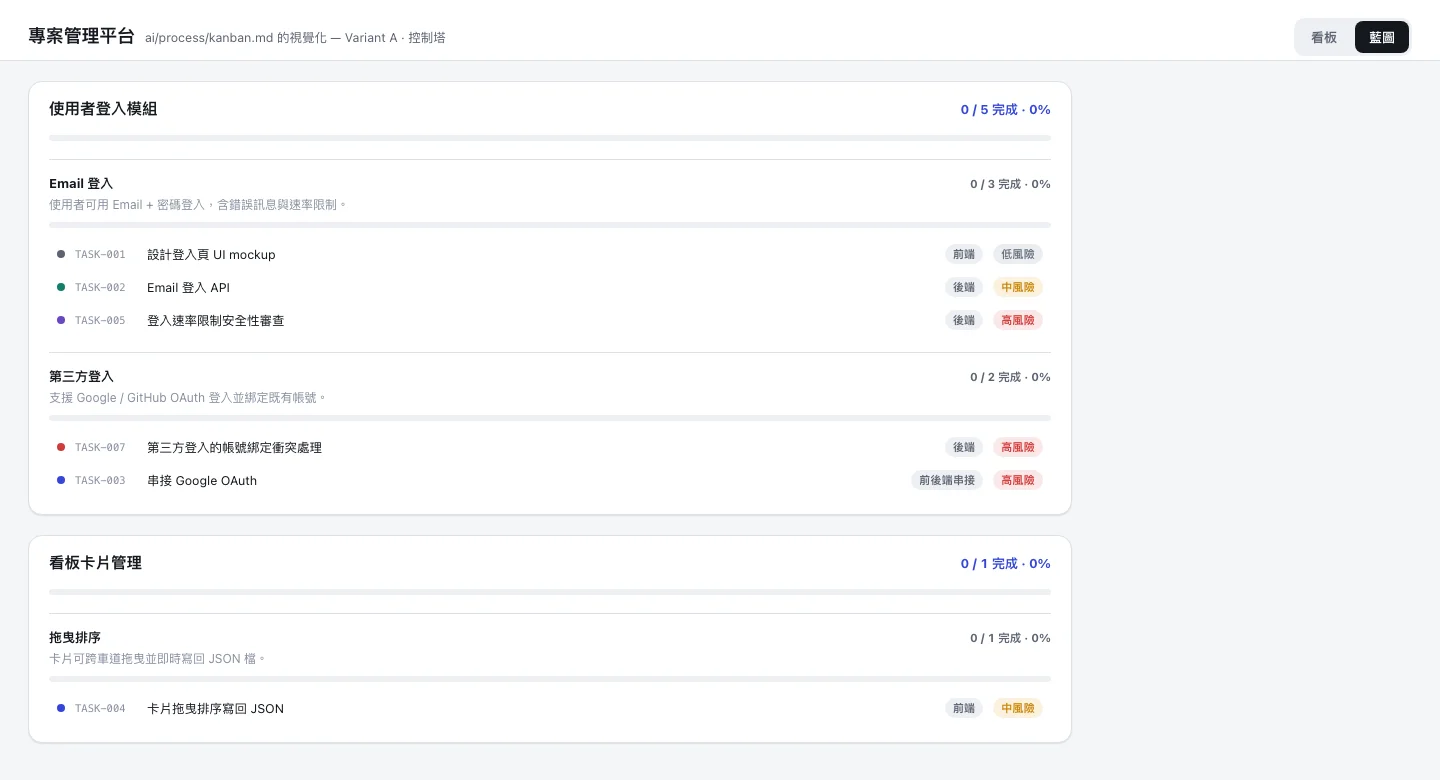 The blueprint view: epics, user stories and their tasks, with progress for each (image: Monstrare on GitHub).
After testing it on another side project, Home Cook Diary, I found several benefits:
- Progress is easy to follow on the kanban board.
- The epic view gives a clear overview of the whole product's requirements.
- Every story keeps clear documentation, because the workflow guides the AI coding agent to leave decision logs and technical notes in the comments of the matching task card.
- The output is much better than with my earlier approaches, once all the requirements (worked out in plan mode with the brainstorming skill) and acceptance criteria are written down.
Result
Overall, I spent less time correcting output and redoing features.
At the same time, I was able to have Claude generate learning materials, so I learned how to use Upstash Redis for caching, how to set up a Postgres database and an API, and the concept of caching itself.
I'd recommend this workflow to anyone building their own side projects. I'm not sure about enterprise projects, as I've only tried it on side projects.
If you have other thoughts, drop me an email or a message on LinkedIn. I'm happy to exchange ideas on this topic!