

This article explores how generative AI (Gen AI) tools can streamline product design workflows. It covers three use cases, research analysis, storyboarding and prototyping, because of their relevance and how well Gen AI tools apply to them.
How is the AI boom affecting product design?
2024 marked a pivotal year for AI, driven by abundant data, resources and opportunities. AI is revolutionising industries like software development (e.g. Cursor AI) and online browsing (e.g. Perplexity AI), and product design is no exception, with new ways to enhance productivity and creativity.
At CES 2025, Nvidia's CEO highlighted advancements beyond generative AI: agentic AI, autonomous systems capable of independent decision-making (e.g. pharmaceutical discovery), and physical AI, autonomous machines that interact with the physical world (e.g. Waymo's robotaxi and Tesla's Optimus humanoid robots).
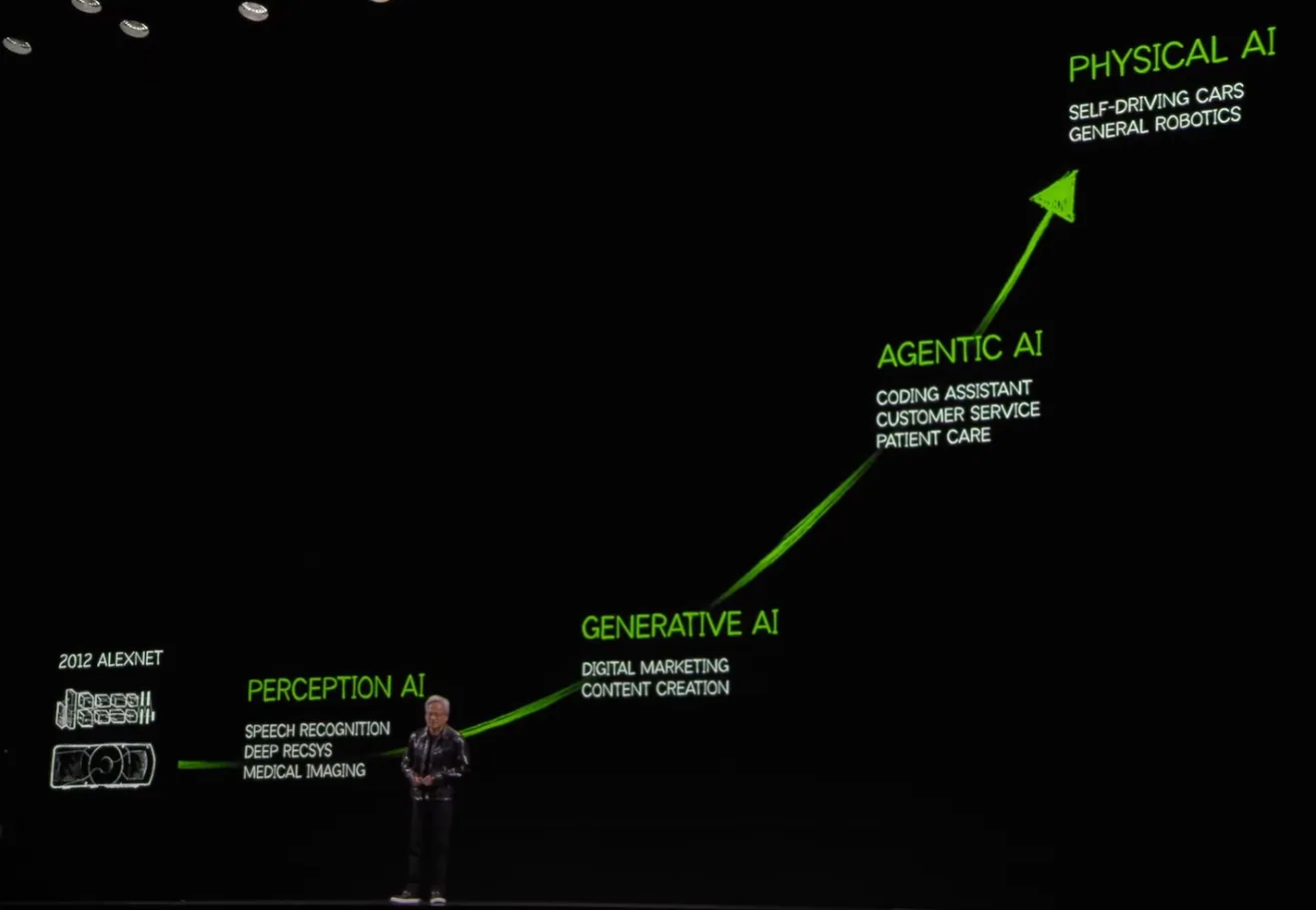 Four phases of AI evolution introduced by Jensen Huang, CEO of Nvidia, at CES 2025 (image: Nvidia CES 2025 keynote).
Product design is currently in a transitional phase, bridging generative AI and agentic AI, as most design-related Gen AI tools are not yet fully autonomous or agentic.
Despite this, Gen AI tools offer significant advantages to product designers. They streamline tasks like drafting content, editing images and generating ideas, so designers can dedicate more time to high-impact work such as planning how features evolve.
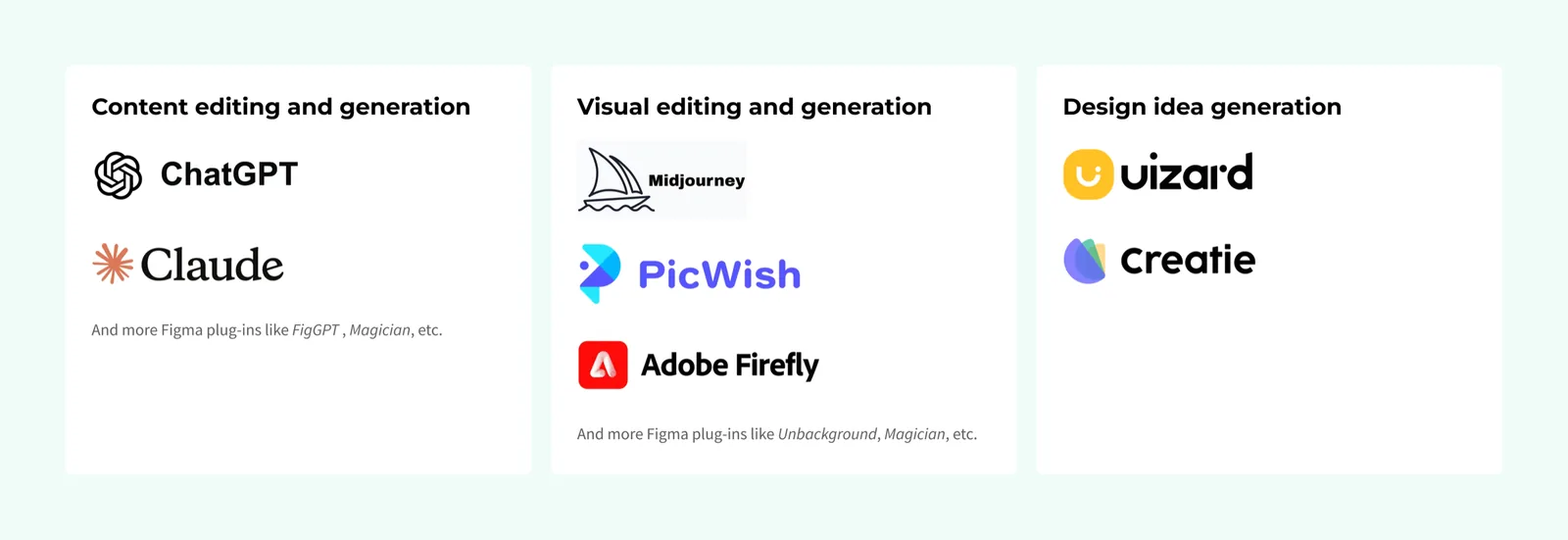 Some popular Gen AI tools focusing on content editing.
While many popular Gen AI tools specialise in content editing, this article highlights tools for research analysis, storyboarding and prototyping, the areas where Gen AI proves most relevant and applicable.
Use case 1: analyse information collected from user research
User research still relies heavily on human effort. Common challenges include:
- Relying on memory to identify patterns, which may introduce bias.
- Difficulty finding and reviewing prior research documents.
- Stakeholders outside research or design teams often forget user needs.
Tools like Google NotebookLM and Dovetail can help. Google NotebookLM is an AI-powered research assistant that summarises and generates fact-based insights from the data you provide, serving as a knowledge base for user research.
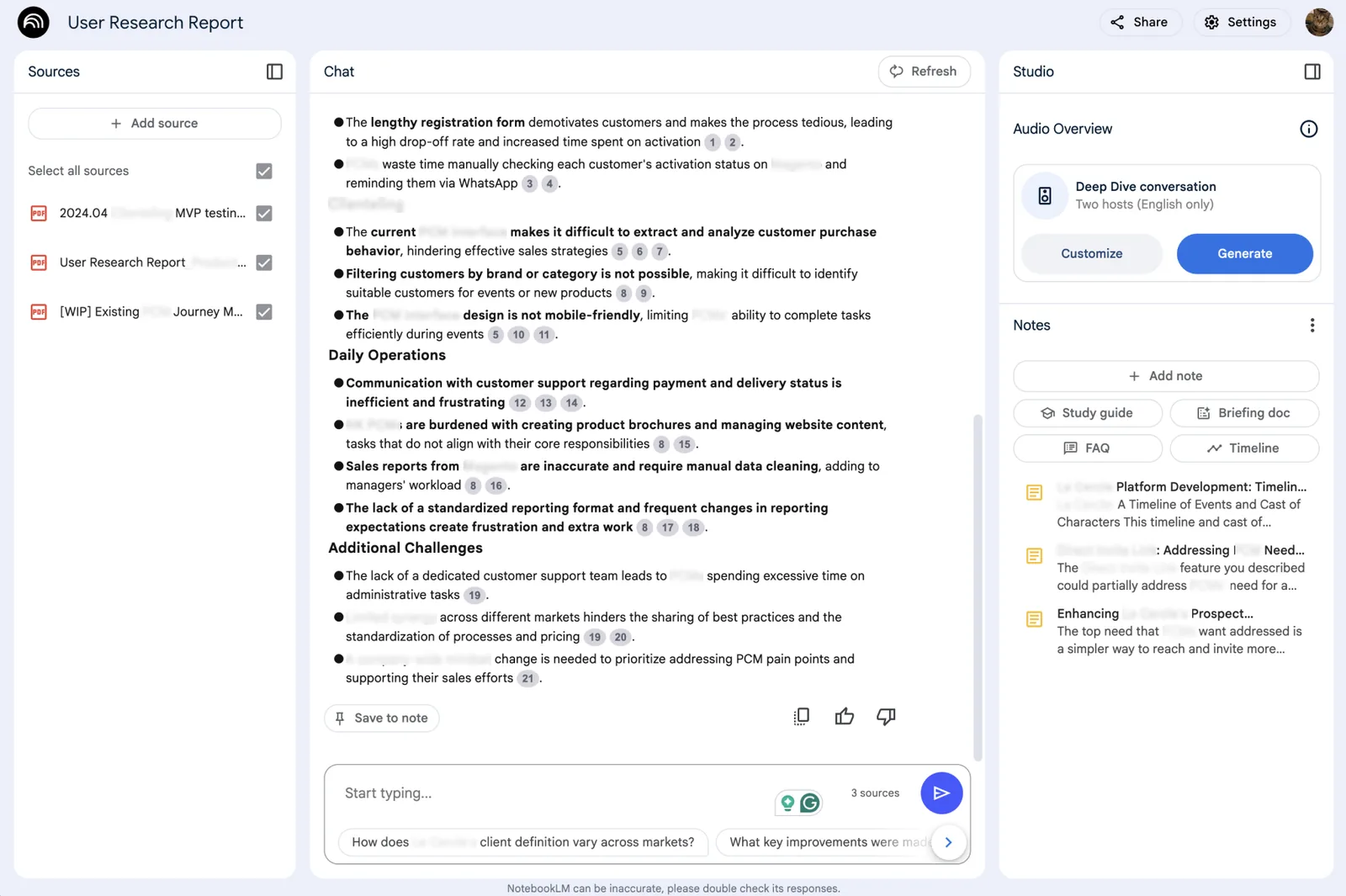 Using Google NotebookLM on a user research project. Google says the data isn't used to train NotebookLM.
Dovetail transforms research insights using AI. By analysing scripts or interview videos, it offers flexibility for deeper analysis with manual input. Dovetail can also integrate with Slack or Teams, so stakeholders can pull research insights through chat-based queries.
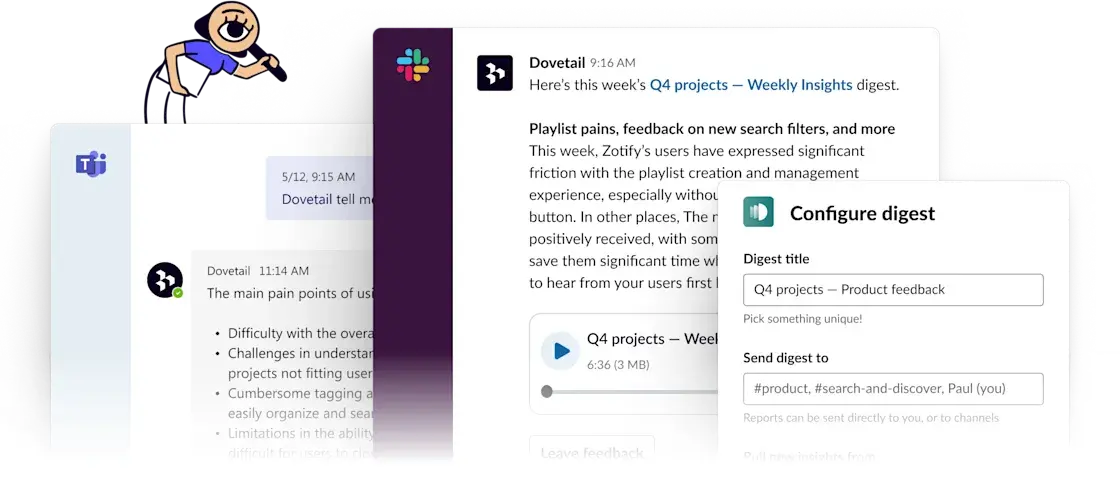 Dovetail's Slack and Teams integration lets colleagues pull insights from a chat interface (image: Dovetail).
There are nuances to consider:
- The quality of these tools' output depends on the input data. Effective participant recruitment and well-structured questions remain crucial.
- Formulating insights manually strengthens our understanding of user behaviour, while relying solely on AI tools may externalise that knowledge.
These tools speed up research analysis, freeing time for better research planning and concept development.
Use case 2: visualise new solutions with storyboarding
After user research or concept design, visualising ideas is essential to validate them with stakeholders. Storyboarding shows how a solution fits into existing workflows or ideal user journeys.
The most common challenge is how long it takes to create visuals that convey the ideal journey.
Apart from Midjourney or the Freepik Figma plug-in, tools like Storyboards.AI and KROCK Storyboard AI can help. Storyboards.AI creates storyboards from prompts that specify characters, story flow and actions. Storyboard AI from KROCK.io simplifies this further with an Excel upload that generates a storyboard in minutes.
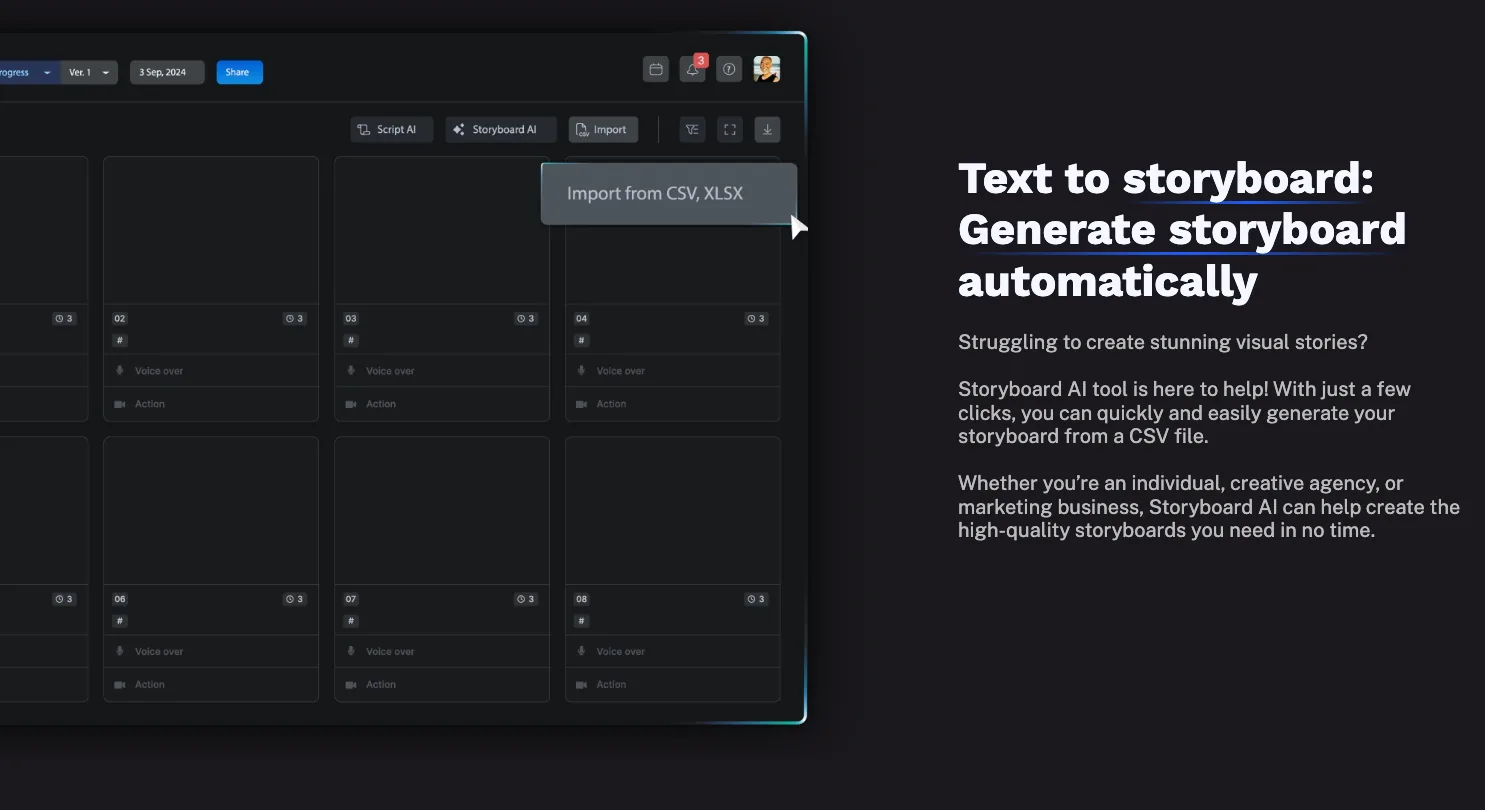 KROCK.io's text-to-storyboard feature (image: krock.io).
A storyboard is just a communication tool: choosing the right format for the context matters just as much.
Use case 3: visualise complex features with prototypes
Prototyping often takes significant time, especially when reusable design components are unavailable. Low-fidelity prototypes such as wireframes or paper prototypes save time but can lack relatability for some audiences.
Uizard is popular, but its output quality is still debatable. Miro Prototype (not yet public) will generate prototypes at various fidelities from content on the canvas, such as text and sticky notes. Vercel v0, a standout for me, is a chat-based website builder that generates and hosts UI as code using Next.js, React, Tailwind CSS and shadcn/ui. With well-defined prompts, you can visualise, preview, iterate and deploy UI in minutes instead of editing prototype flows in Figma.
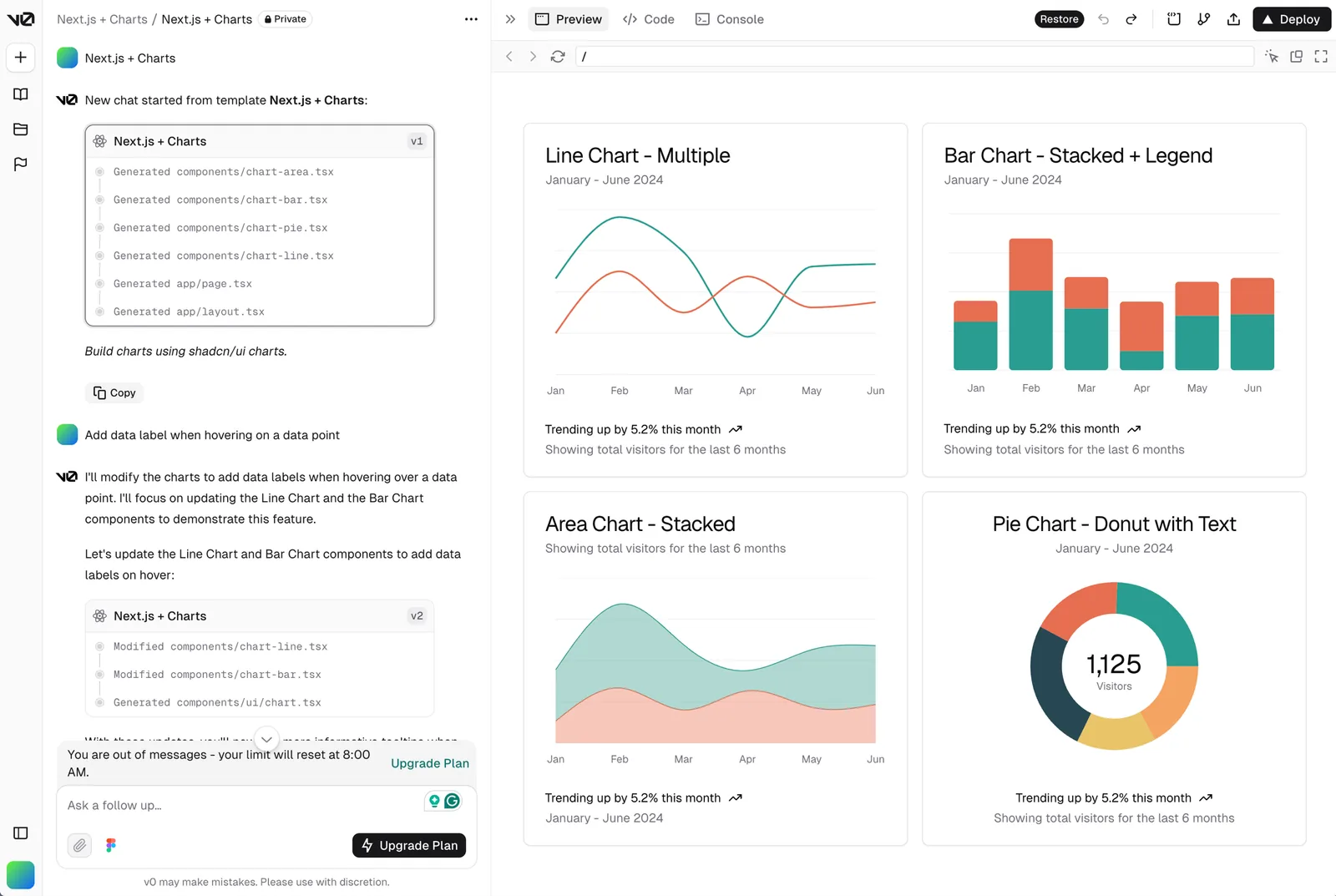 Text-to-UI in Vercel v0 lets designers visualise complex interactive prototypes such as dashboards and charts. co.dev, a Y Combinator-backed text-to-website tool, is an alternative.
The output of these tools isn't a final design artefact. It still needs business context and technical consideration. They help visualise and iterate on concepts quickly, but are less suited to production-ready software.
Looking ahead, tools may let designers modify Figma mockups and prototypes using existing component libraries or design systems with simple prompts.
How should product designers keep evolving with AI?
Gen AI tools are powerful when applied to the right use cases, but we should avoid using AI for its own sake. Like any tool, it's worth weighing cost against benefit: the time spent providing context versus the time saved. This matters all the more because most current large language models are text-based.
Product design remains a human-centric domain that requires deep interaction, empathy and contextual understanding that AI cannot yet replicate. We bring unique traits: perceiving emotions, expressing human values and innovating beyond existing frameworks.
In Jensen Huang's four phases of AI evolution, agentic AI and physical AI are imminent, and at their core this progress is about human-computer interaction design. Specific products and problems will change over the next decade, but product designers will remain crucial in understanding complex human needs and behaviours. The shift will also prompt us to redefine our value, reflect on our evolving responsibilities and find fulfilment as AI tools become part of our workflows.
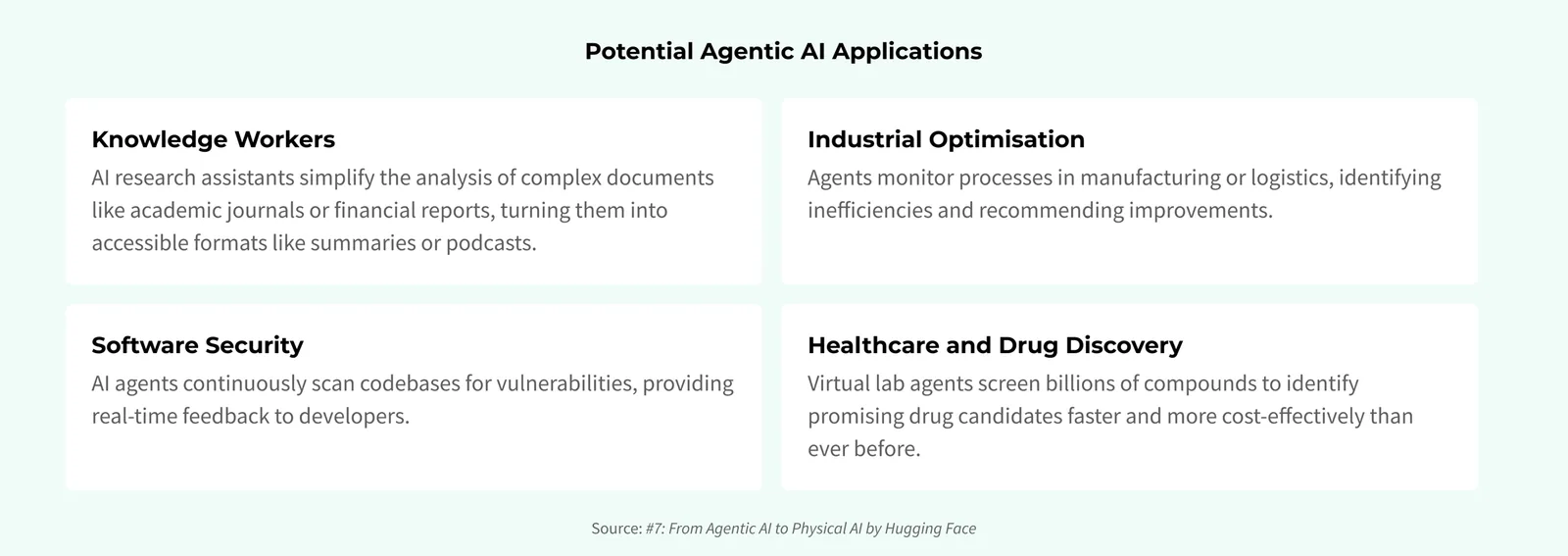 Potential agentic AI applications in different industries (source: Hugging Face).
I hope this article inspires you to explore Gen AI tools thoughtfully and gives you a broader toolkit for your design process.